What Is the Best POS Terminal for Your Business?

Choosing a POS terminal affects every sale, refund, receipt, and customer interaction. It also shapes how quickly staff can serve a queue. The best pos terminal is not always the newest model or the cheapest option. It should match your business size, payment volume, sales channels, and daily workflow.

A busy café may need a fast touchscreen, strong Wi-Fi, and a reliable battery. A clothing shop may value barcode scanning, inventory updates, and easy returns. Mobile sellers often need a compact terminal that handles contactless payments outdoors. Small details matter. Can employees learn it in one shift? Does it remain usable during a weak internet connection? Are transaction records clear enough for accurate bookkeeping?

This guide examines those practical questions through performance, security, pricing, integrations, and support. It considers recognized payment security practices, transparent fees, software compatibility, and manufacturer reliability. Hands-on evaluations often reveal weaknesses that product pages omit. A bright screen may become difficult under direct sunlight. A powerful system may feel unnecessarily complicated during a rush. That matters.

No checklist is perfect. Business needs change, and a terminal that fits today may limit growth later. This guide compares realistic trade-offs instead of promising one universal winner. Expect attention to setup time, receipt options, staff training, customer privacy, and service response. A lower upfront price can still become expensive when support is slow. Conversely, premium hardware may offer little value for a low-volume business. The right decision should remain practical, measurable, and easy to review after several months of use.

What Is the Best POS Terminal for Your Business?

Understanding POS Terminals and Their Core Functions

What Is the Best POS Terminal for Your Business?

Understanding POS Terminals and Their Core Functions

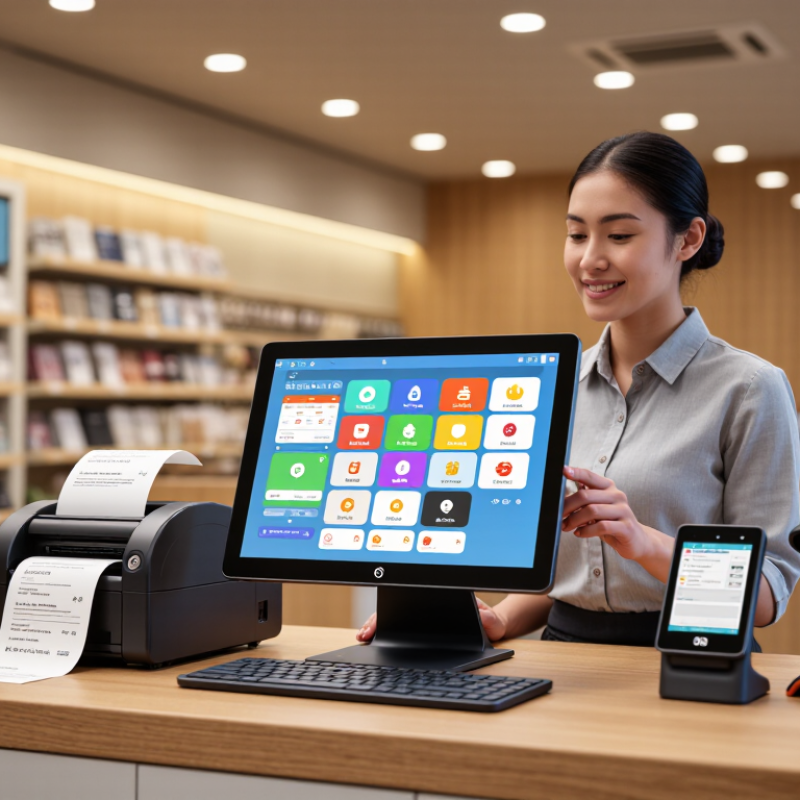
A POS terminal is more than a card reader. It connects sales, payments, inventory, and customer records in one working system. At the counter, staff can scan an item, apply a discount, accept payment, and issue a digital or printed receipt. A reliable terminal should also support refunds, tax settings, and different payment methods.

Small details matter. A slow screen can create a queue within minutes.

Many businesses also use POS terminals to monitor stock levels. When an item sells, the system can update inventory automatically. Managers may review daily sales, popular products, and staff activity through clear reports. User permissions are important because every employee may not need access to sensitive settings. Some terminals continue operating during brief internet interruptions, then synchronize data later. This function should be tested before launch.

The best choice depends on your sales environment, not just the hardware price. A busy café may need a fast touchscreen and a compact receipt printer. A mobile seller may value battery life and stable wireless connections. Check whether the terminal integrates with your accounting and inventory tools.

Ask about data protection, software updates, support hours, and replacement procedures. In practice, setup can take longer than expected. I would test a full transaction, refund, and end-of-day report before relying on the system. Fancy features are not always useful. Reliable basics often matter more.

Identifying Your Business’s Operational and Transaction Needs

What Is the Best POS Terminal for Your Business?

Identifying Your Business’s Operational and Transaction Needs

The best POS terminal starts with your daily workflow, not its screen size or design. Map each transaction from customer arrival to final receipt. A busy café may need rapid item selection, kitchen printing, and quick table changes. A mobile seller may value battery life, wireless connectivity, and a compact payment reader. Count your busiest hour, too. Quiet averages can hide serious delays.

Review how customers actually pay. Do they use cards, mobile wallets, contactless payments, cash, or several methods together? Your terminal should handle these options reliably and show clear transaction status. Check whether staff can process refunds, split bills, apply discounts, and correct mistakes without calling a manager. Offline processing may help during brief network interruptions, but it must follow applicable payment and security requirements. Convenience is not the same as compliance.

In practical POS evaluations, staff training often matters as much as hardware. Ask employees to complete common tasks while standing in a busy service area. Watch where they hesitate. That moment may reveal a poor menu structure or unclear prompts. I have seen businesses focus heavily on payment speed and overlook inventory updates. That choice can create extra work later. Test receipt delivery, reporting, integrations, and support response times before purchase. Then review the setup after two weeks of real transactions. Your first assumptions may be wrong.

What Is the Best POS Terminal for Your Business? Identifying Your Business’s Operational and Transaction Needs

Business Profile Typical Transaction Environment Recommended Terminal Format Connectivity Priority Essential Payment Capabilities Operational Features to Prioritize Security and Compliance Needs Best-Fit Assessment
Small Retail Store Fixed checkout counter with moderate daily transaction volume and occasional returns. Countertop terminal with an integrated receipt printer or a compact customer-facing display. Primary broadband or Wi-Fi with cellular backup when service interruptions could affect sales. Chip cards, contactless payments, magnetic-stripe fallback where still required, mobile wallets, and digital receipts. Simple product lookup, barcode scanning, inventory updates, refunds, and employee access controls. End-to-end encryption, tokenization, role-based permissions, secure software updates, and payment-card compliance controls. Balanced fixed solution
Restaurant or Café Fast-paced counter or table-service transactions with tips, split bills, and frequent peak periods. Countertop terminal for quick service or handheld terminal for tableside ordering and payment. Reliable Wi-Fi with a wired option for the main service point and offline procedures for brief outages. Contactless cards, chip cards, mobile wallets, tip selection, partial payments, refunds, and digital receipts. Table or order management, kitchen workflow integration, modifier handling, staff permissions, and rapid checkout. Encrypted payment data, restricted employee access, audit trails, and secure handling of customer and tip information. Speed and mobility focused
Mobile Vendor or Market Stall Outdoor or temporary locations where power and internet access may be limited. Portable wireless terminal with a built-in battery and compact receipt option. Cellular connectivity with Wi-Fi support; battery endurance is important for a full selling period. Contactless payments, chip cards, mobile wallets, digital receipts, and clear transaction-status confirmation. Lightweight design, quick startup, simple item catalog, battery monitoring, and easy transport. Device lock controls, encrypted connections, secure authentication, and protection against unauthorized use. Portable solution
Delivery or Field-Service Business Payments completed at customer locations, often while employees are moving between appointments. Handheld or smartphone-connected card reader with a customer-facing payment interface. Cellular connectivity is usually the primary option, with Wi-Fi support where available. Contactless cards, chip cards, mobile wallets, digital receipts, deposits, refunds, and transaction confirmation. Compact hardware, fast pairing, invoice or job-reference entry, customer signature support where needed, and remote management. Strong device authentication, encrypted transmission, limited data storage, and remote deactivation for lost devices. Field mobility focused
High-Volume Retail Location Multiple checkout lanes, long queues, frequent product scans, and strict uptime expectations. Integrated checkout station with a separate customer display and optional self-service capability. Redundant wired connectivity with monitored backup service and clear business-continuity procedures. Chip cards, contactless payments, mobile wallets, gift cards, refunds, split tenders, and digital receipts. High-speed scanning, centralized inventory, lane management, staff permissions, reporting, and integration with back-office systems. Network segmentation, tokenization, tamper protection, access logging, regular updates, and formal payment-security controls. Scalability priority
Professional Services Office Lower transaction volume with larger invoices, scheduled appointments, and occasional remote payments. Countertop terminal paired with invoicing software or a secure virtual-payment workflow. Stable office broadband or Wi-Fi; cellular backup is useful for business continuity. Chip cards, contactless payments, mobile wallets, invoice-linked payments, refunds, and digital receipts. Customer records, invoice references, appointment workflows, reporting, accounting integration, and easy reconciliation. Privacy-focused access controls, encrypted data, audit logs, restricted staff permissions, and secure record retention. Integrated office solution
Hospitality or Multi-Location Business Transactions occur across reception, outlets, events, or multiple sites with centralized oversight. Combination of fixed and portable terminals managed through a centralized platform. Redundant connectivity at each site, centralized status monitoring, and documented outage procedures. Contactless payments, chip cards, mobile wallets, deposits, pre-authorizations where applicable, refunds, and digital receipts. Multi-location reporting, centralized pricing, user management, inventory or room-service integration, and remote configuration. Centralized security policies, least-privilege access, encryption, tokenization, audit trails, and controlled software deployment. Management and integration priority
Event, Ticketing, or Temporary Site Short-term bursts of transactions at entrances, concessions, booths, or outdoor venues. Portable wireless terminal with fast setup and optional barcode or QR-code scanning. Cellular connectivity with multiple network options and battery capacity suited to extended shifts. Contactless cards, chip cards, mobile wallets, digital receipts, QR-code workflows, and rapid payment confirmation. Quick deployment, simple product lists, staff onboarding, queue efficiency, battery management, and end-of-event reporting. Temporary-user permissions, device tracking, encrypted communication, remote lockout, and secure data removal after the event. Rapid-deployment solution

Comparing POS Terminal Types, Features, and Payment Options

Choosing the best POS terminal starts with the payment environment, not the screen size. A countertop terminal suits fixed tills and busy queues. Mobile terminals help cafés, markets, and tableside service. Integrated terminals reduce rekeying between checkout and inventory systems. Unattended units need strong physical protection and simple instructions. My first shortlist was wrong. I overvalued speed and ignored receipt access during a crowded lunch period.

Payment flexibility matters. The 2024 Global Payments Report from Worldpay states that digital wallets represented 30% of global point-of-sale transaction value in 2023. The Federal Reserve’s 2024 Diary of Consumer Payment Choice reports that cash still represented 16% of consumer payments in 2023. Therefore, a capable terminal should accept contactless cards, chip cards, mobile wallets, and cash workflows where relevant. Check connection recovery, battery life, offline rules, screen readability, and accessibility. Security should follow current payment-security guidance, including PCI DSS requirements. Features alone do not create reliability.

Tips: Test the terminal during your busiest ten minutes. Watch queue movement, failed taps, receipt changes, and staff mistakes. Ask whether payment data is encrypted from capture to authorization. Confirm software updates, support hours, replacement procedures, and transaction reporting before signing. A cheaper device may cost more when downtime interrupts sales. I still question whether every business needs every payment method; customer behavior and operating conditions should decide.

Evaluating Security, Integration, Pricing, and Support

Choosing a POS terminal requires more than comparing screen size and monthly fees. Security deserves practical testing. The 2024 Data Breach Investigations Report found that human involvement appeared in 68% of breaches. Staff should receive clear login rules, role-based permissions, and short training at the counter. Look for PCI DSS v4.0.1 alignment, end-to-end encryption, tokenization, automatic updates, and remote device controls. Ask how quickly the provider reports incidents. Vague answers are a warning sign.

Integration affects daily accuracy. The 2024 Global Payments Report estimates that digital wallets represented about half of global e-commerce transaction value and nearly one-third of in-store value in 2023. A terminal should connect smoothly with inventory, accounting, loyalty, online ordering, and major payment methods. Test a real workflow: scan an item, apply a discount, process a split payment, then check the accounting record. Small mismatches become expensive. I have seen teams trust attractive dashboards without checking export quality.

Pricing needs a full-cost worksheet. Include hardware, software, payment processing, installation, replacement devices, cancellation terms, and support charges. The cheapest monthly plan may create costly manual work. Support should offer response-time commitments, weekend coverage, searchable documentation, and human escalation. Ask for a service-level agreement. Also test support before signing. Send a difficult but ordinary question. The response often reveals more than the sales presentation. No terminal is perfect, and integration promises should be verified with your actual products, staff, and payment volume.

What Is the Best POS Terminal for Your Business?

This 100-point evaluation framework prioritizes the factors that most directly affect POS purchasing decisions: payment security, system integration, total cost, and ongoing support. The weighting is designed to help businesses compare terminals consistently without relying on brand-specific performance claims.

Selecting the POS Terminal That Fits Your Business Growth goals

What Is the Best POS Terminal for Your Business?

Selecting a POS terminal should begin with your growth goals, not its screen size. A café expecting longer queues needs fast checkout, contactless acceptance, and offline continuity. A growing retailer may need inventory syncing, staff permissions, and support for multiple locations. The Federal Reserve’s 2024 Diary of Consumer Payment Choice reported that cash represented 16% of consumer payments in 2023. Card payments remained dominant. Your terminal must therefore serve both digital and cash-paying customers without slowing the line.

Payment habits also change quickly. The Worldpay Global Payments Report 2024 found that digital wallets accounted for about half of global e-commerce transaction value in 2023. In-person payments are evolving too. Choose a device that accepts contactless cards and mobile wallets, while keeping receipts clear and accessible. PCI Security Standards Council guidance also supports strong access controls, encrypted payment handling, and regular software updates. These details matter when one device processes hundreds of transactions daily.

Test the terminal during your busiest hour. Can a new employee complete a sale in under one minute? Does it reconnect after weak Wi-Fi? Can the display remain readable beside a bright window? A low-cost model may become expensive when support, accessories, or replacement hardware are added. I have seen businesses overbuy advanced features they never use. That is worth questioning. Select the simplest secure terminal that supports today’s workflow and tomorrow’s expansion. Growth rarely follows a perfect plan.

Translate